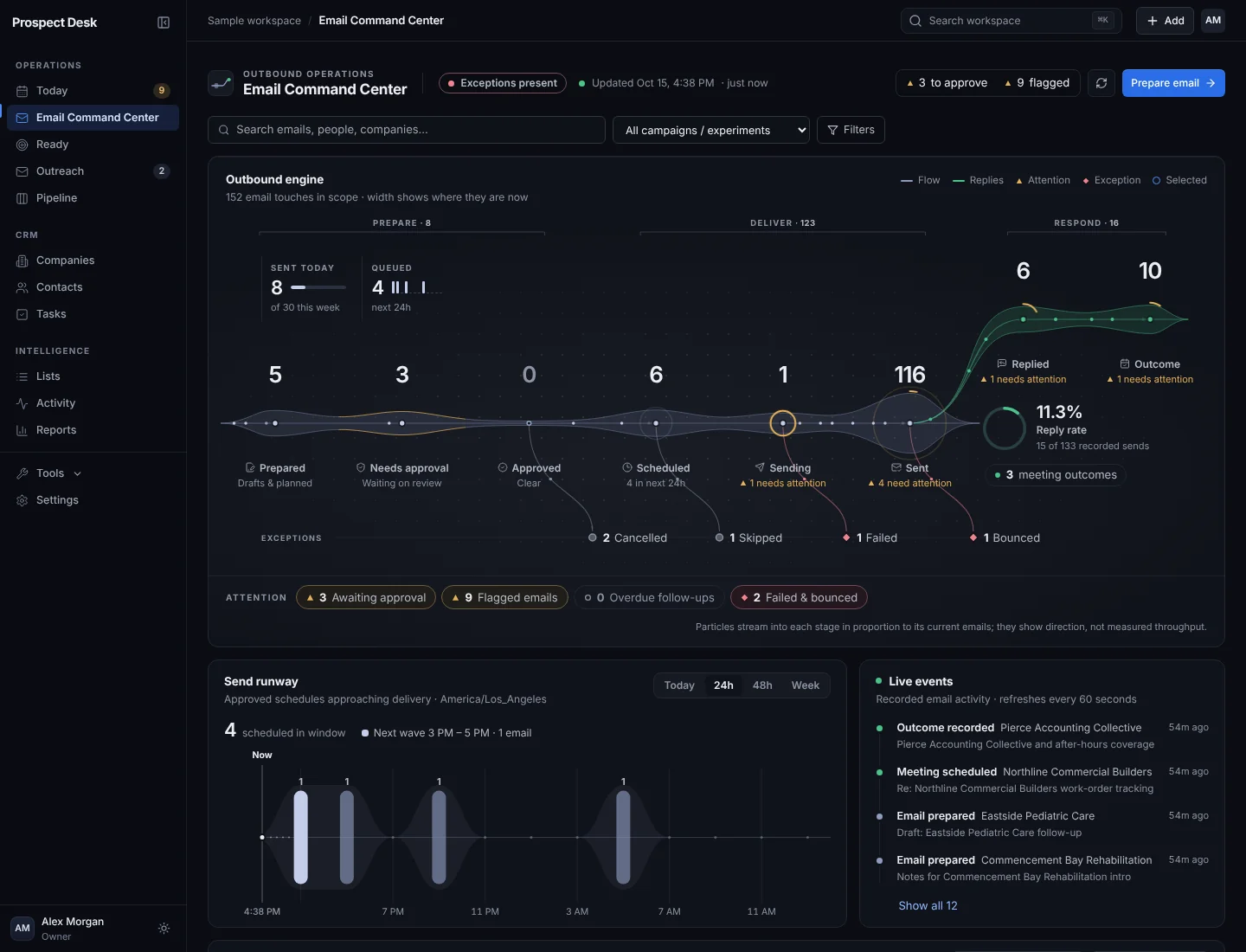
A sales system that researches, drafts, and follows up, with a person approving what goes out.
Somewhere in your business, a person retypes the same thing every day. We build the automation that reads the request, updates your systems, and drafts the next step, then waits for your approval where it matters.
A studio in Seattle, WA, working with businesses across the US. Fixed-scope builds, quoted per project. A person replies within 1 business day.
What we automate
Each automation has two halves: what it handles on its own, and the moment it hands back to you. The second half is why you can trust the first.
The automation handles: Reads each message, labels it, pulls out what is being asked, and drafts the reply.
You decide: Which replies go out.
The automation handles: Creates the contact and the deal from a form or an email, looks up the company, and sets the follow-up.
You decide: Who gets contacted, and when.
The automation handles: Splits mixed PDFs, names each document, pulls out the fields, and files them.
You decide: The pages it is unsure about.
The automation handles: Drafts from your own price sheet and past jobs, and chases the ones that went quiet.
You decide: The number, and the send.
The automation handles: Offers times, books, reschedules, and reminds, without the back-and-forth.
You decide: When you are available.
The automation handles: Moves records between the systems you already pay for, on a trigger or a schedule.
You decide: What syncs, and which system wins a conflict.
The automation handles: Works through the web app step by step, the way a person would, and saves what it found.
You decide: What gets submitted.
The automation handles: Assembles the Monday numbers from several tools and writes the summary.
You decide: Nothing. You read it.
Five questions we ask of every process before we quote anything. If the honest answers are mostly no, we will tell you.
Forty times a week pays back. Twice a quarter rarely does.
Emails, PDFs, forms, and call notes are where AI earns its place. Clean fields only need a rule.
A drafted reply or a sorted document takes seconds to approve.
Anything that can’t be undone gets an approval step in front of it.
An API, an export, or a shared inbox. Not one person’s memory.
An example workflow
An illustration of the pattern, not a client project. Rules do what rules can, AI reads and drafts, and the send waits for a person.
Through the website form, at 6:40 in the evening, after the office has closed.
Required fields, a duplicate check against existing customers, and whether the service area is one you cover.
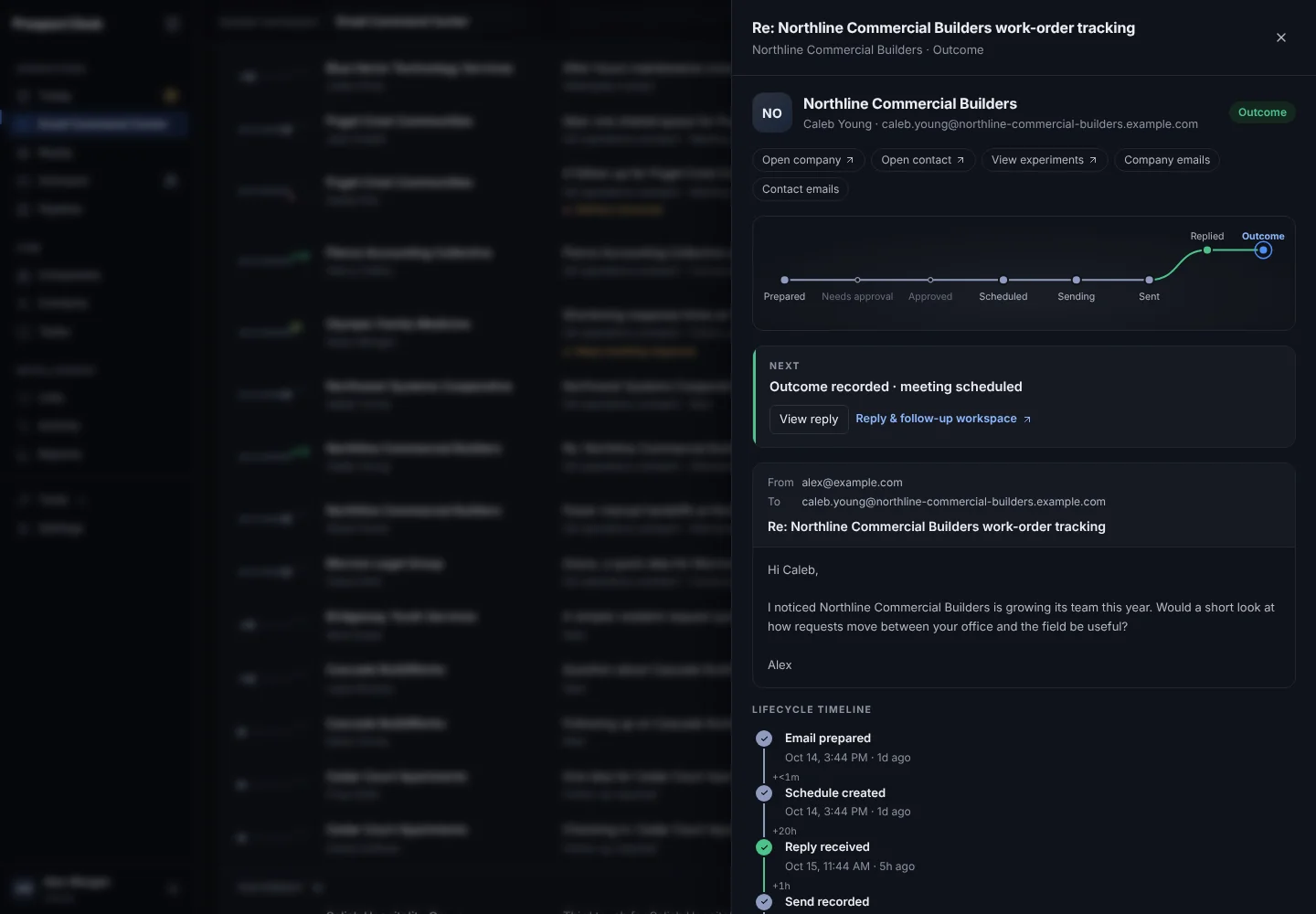
It works out what is being asked, finds the company, and adds the contact and the deal to your CRM.
A reply with two open times for a walkthrough, written from your own templates.
The draft waits. You read it the next morning, change a line, and press send.
The walkthrough goes on the calendar and the job board, and a reminder is set if nobody answers.
The pattern on this page is not a theory. It is how two of our own products work every day.
Both are Vlyntro’s own products, not client projects. Prospect Desk is renamed for privacy and shown with invented accounts. AS Resume Sorter is shown with invented applicants and local rules.
A sales system that researches, drafts, and follows up, with a person approving what goes out.
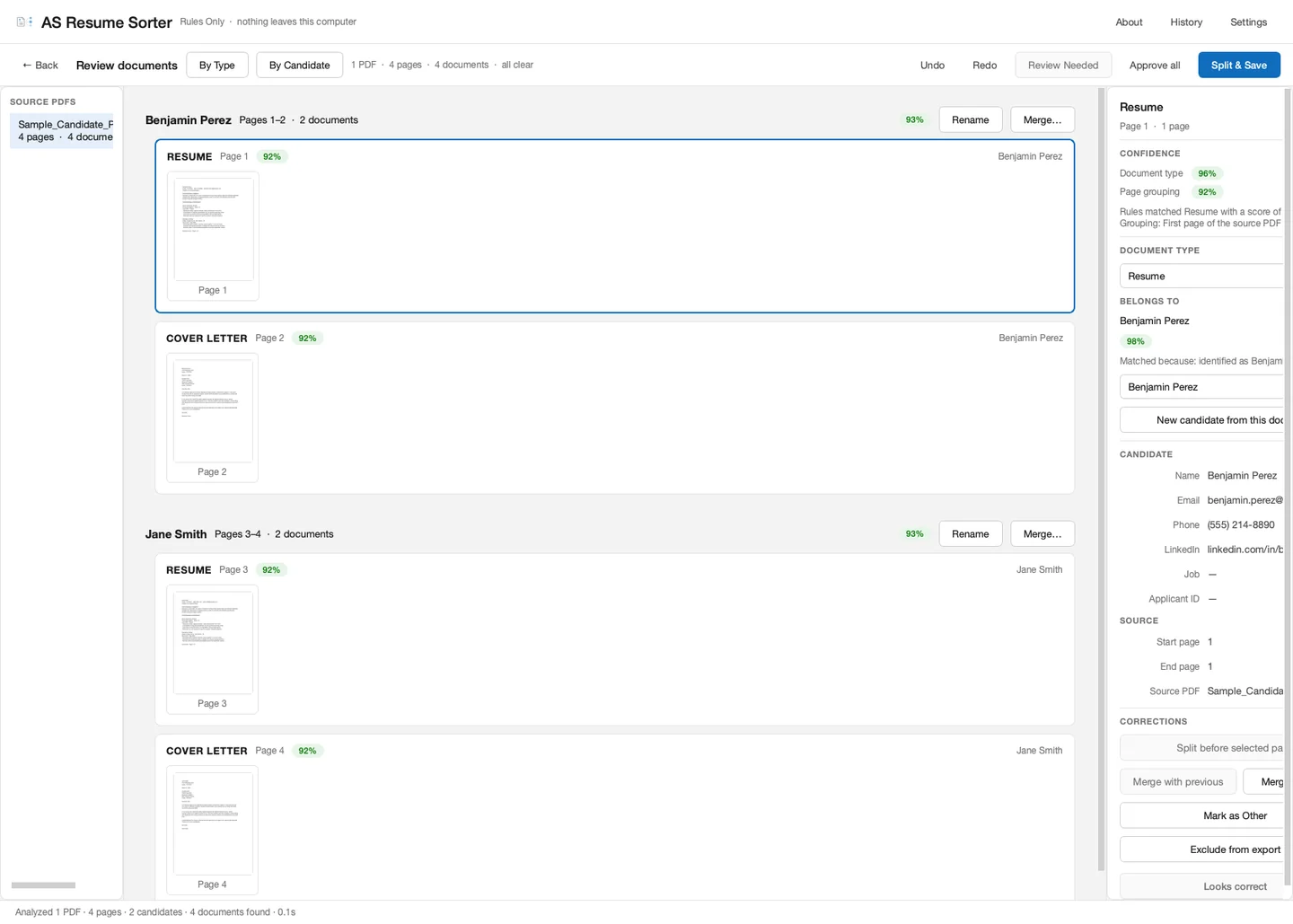
Split a mixed recruiting PDF into tidy folders, one per applicant.
Sending, paying, submitting, and deleting wait for a person. In Prospect Desk, drafts sit at an approval gate until someone approves them.
A reply, a bounce, or a do-not-contact flag stops a Prospect Desk sequence immediately. Your stop conditions are written down before launch.
Retries and parallel workers cannot deliver the same email twice or restart a sequence that already stopped.
What ran, what it changed, and who approved it. When someone overrides a rule, the override is narrow and permanently logged.
You show us how it works today: the inputs, the tools, and where it stalls.
Which steps need approval, what stops the automation, and how you will know it helped.
It prepares the work and waits. You use it on real requests from the first week it runs.
We read the log together and let it do more on its own only where it has been right.
Ordinary automation follows fixed steps on structured data, and it is the right tool whenever that is enough. AI automation adds one thing: it can read text a person wrote and decide what it means. We use rules for everything rules can do, and AI only for the reading and drafting in the middle.
It takes the retyping, sorting, and chasing. The decisions stay with people, because that is where a mistake is expensive. What your team does with the hours it gets back is your call.
Anything with a way in and out: an API, webhooks, a scheduled export, or a shared inbox. Where a system has none of those, working through its web app is a last resort. We check what your plans allow on the first call and tell you plainly what is and isn’t possible.
Sometimes, yes. If the job is moving a row from one tool to another on a trigger, an off-the-shelf automation tool is the right answer and we will say so. Custom work earns its cost when the job needs reading, an approval step, an audit trail, or rules your business depends on.
The build is quoted as a fixed-scope project after a short intro call. We have not published a price list because scope varies widely. The proposal also estimates the running cost, which is mostly model usage and hosting, so you can weigh it against the hours it saves.
It should fail where you can see it, not quietly. Failures are logged and surfaced to a person. You can hire us for one fixed-scope build or keep us on as an ongoing partner to maintain and extend it.
Describe it the way you’d explain it to a new hire. We’ll tell you whether it wants automation, an agent, or to be left alone.
or email projects@vlyntro.com
The brief asks three things