AI development services.
Vlyntro builds AI agents, workflow automations, and custom software for teams across the United States. We can add AI to the tools you already use or build a new product, internal tool, or website. We work remotely from Seattle and quote each build based on its scope.
What we build
- AI integrationAdd drafting, extraction, search, or an assistant to the CRM, app, or internal tool you already use.
- AI automationTake inbox triage, document handling, CRM updates, and handoffs off your team, with approvals where they matter.
- AI agentsAgents with one job each, their own tools and permissions, approval gates, and a record of everything they did.
- Web designA custom website built around how your business gets customers: clear message, one next step, fast pages.
- Custom softwareCRMs, internal tools, customer portals, and dashboards that fit your process, starting with a small first release.
How the three fit together
Example: one quote request at a commercial cleaning company
- WebsitesBring the customer in
For example, a quote request form on the company’s own site.
- Automation & AI agentsTake the busywork
An agent reads the request, looks up the company, updates the CRM, and drafts a reply that waits for your approval.
- Apps & softwareRun the work
The walkthrough lands on the team’s job board, next to the rest of the week’s work.
Underneath all three
- Strategy
- Start with the first useful release
- Coding agents
- Research, first drafts, and tests
- Engineers
- Architecture, data, and security
- Review
- Nothing ships until a person says so
Apps & software
Software that fits the business, not the other way around.
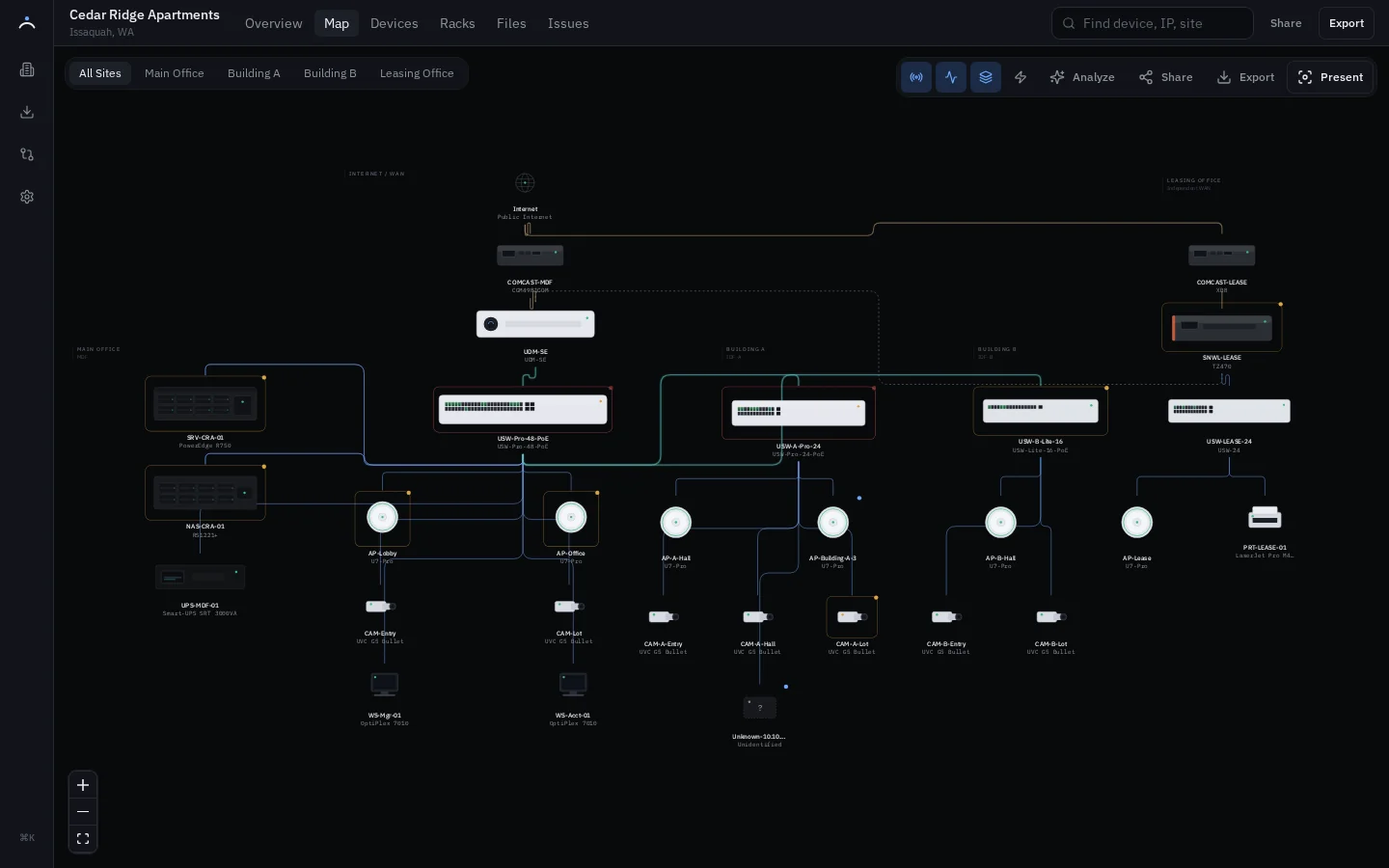
When off-the-shelf tools almost work, people fill the gaps with spreadsheets and workarounds. We build the tool that fits how your team actually works.
- Custom business software
- The system your process actually needs
- Internal tools
- Intake, scheduling, approvals, tracking
- SaaS products
- Software you sell, from the first release
- Desktop utilities
- Fast local tools, like ArcScan
- Operational systems
- Rules, queues, statuses, and handoffs
- Customer portals
- Submit, check, and finish without email
- Dashboards
- The numbers you check every morning



Websites
A website is product work.
It should bring in customers, not just look nice. We design it around what visitors came to do, and how fast it gets them there.
- Messaging
- What you do, and for whom, on the first screen
- Conversion
- One clear next step on every page
- Performance
- Fast on a phone, on a so-so connection
- SEO foundations
- Structure, metadata, and local search basics
- Integrations
- Forms, booking, and CRM, so leads don’t get lost
- Custom interactions
- The pieces a template can’t do
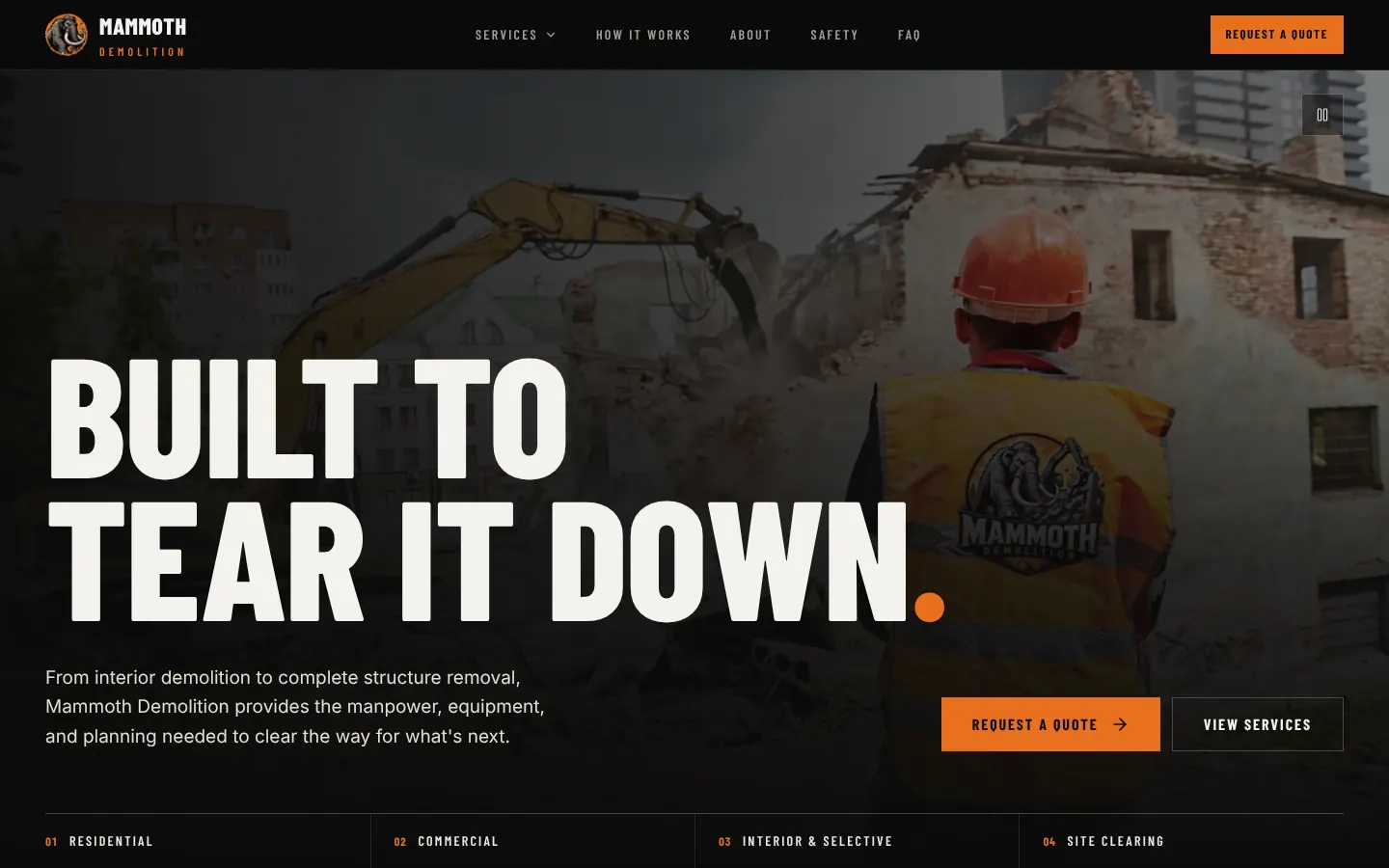

Mammoth DemolitionLaunching soon
Demolition contractor
Six service pages, a quote request that starts from the right project type, a how-it-works page, and a hero that plays the client's own footage.
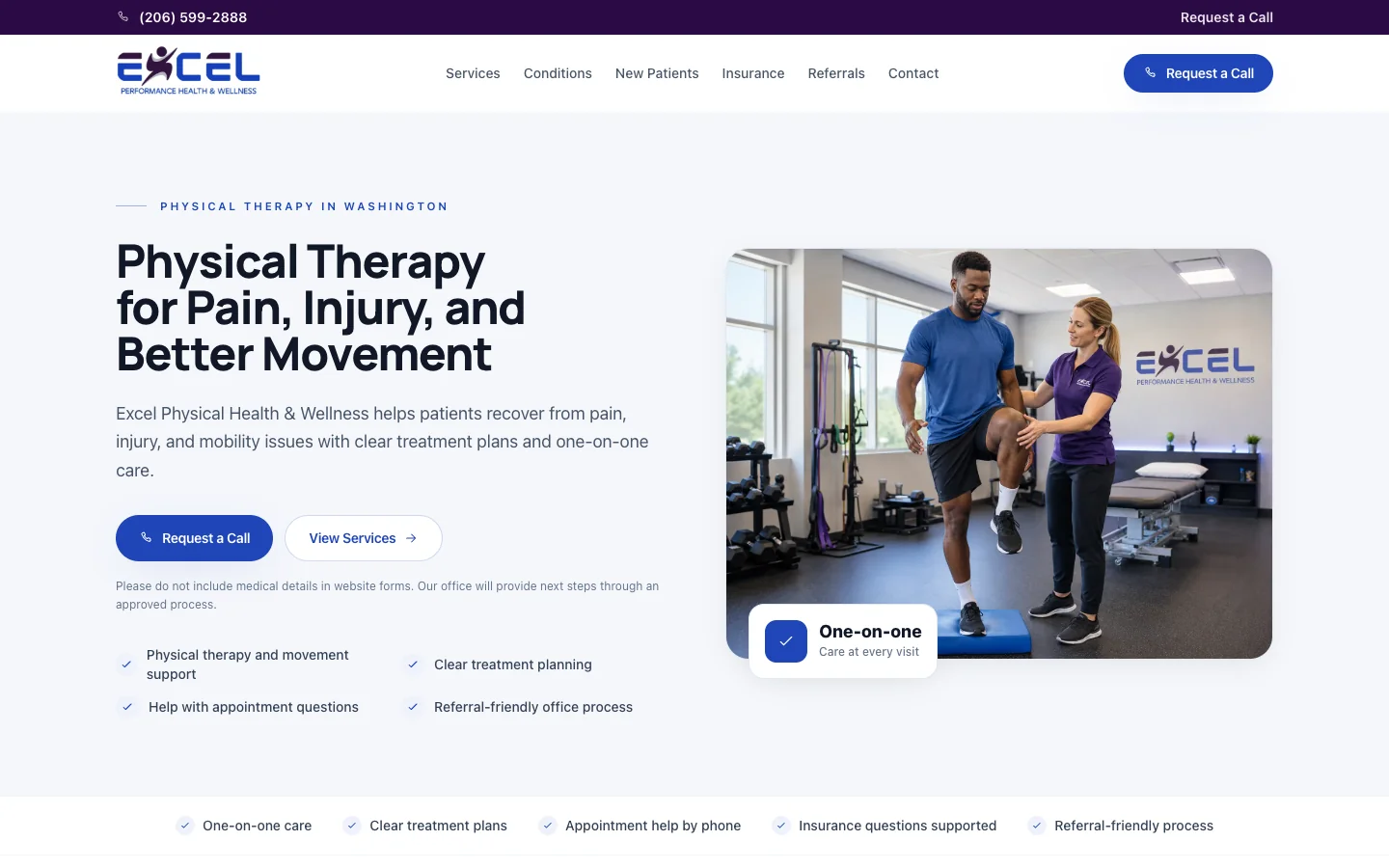
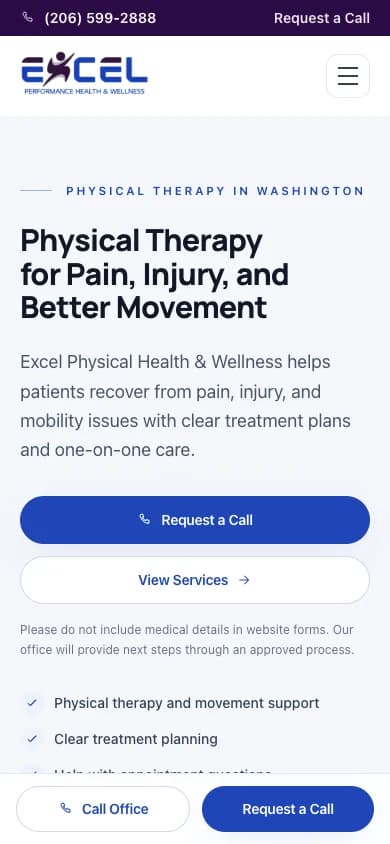
Physical therapy practice
Service and condition pages, new-patient guidance, referral information, and a clear path to request a call.
Web design and development, in detailSee all the websites we’ve built
Automation & AI agents
Give the repetitive work to a digital teammate.
Agents read, look things up, update your systems, and draft the next step. You decide which moments need a person, and every action leaves a trail you can check.
AI automation, in detailAI agent developmentAI integration for software you already run
Inbox automation
The agent handles: Sorts the shared inbox, drafts replies, and pulls out what each email is asking for.
You decide: Which replies go out.
CRM automation
The agent handles: Logs emails and calls, updates deals, and nudges the ones going quiet.
You decide: Who gets contacted.
Calendar workflows
The agent handles: Books, reschedules, and sends reminders without the back-and-forth.
You decide: When you’re available.
Browser automation
The agent handles: Works through the portal or web app that never got an API.
You decide: What gets submitted.
File processing
The agent handles: Reads invoices, forms, and PDFs, pulls out the fields, and files them.
You decide: Anything it’s unsure about.
API workflows
The agent handles: Moves data between the tools you already pay for.
You decide: What syncs, and where.
Recurring routines
The agent handles: Runs the morning report or the Friday cleanup on schedule.
You decide: Nothing. You read the summary.
Agent workflows and agent teams
The agent handles: Persistent agents that remember context and split multi-step work, each with one job.
You decide: Each agent’s permissions, and the approval gates.
Internal AI assistants
The agent handles: Answers your team’s questions from your own documents and systems, and says when it doesn’t know.
You decide: What it’s allowed to see.
How you stay in charge
- Approval gates before anything important
- Permissions set per tool
- A full log of every action
- People step in when something looks off
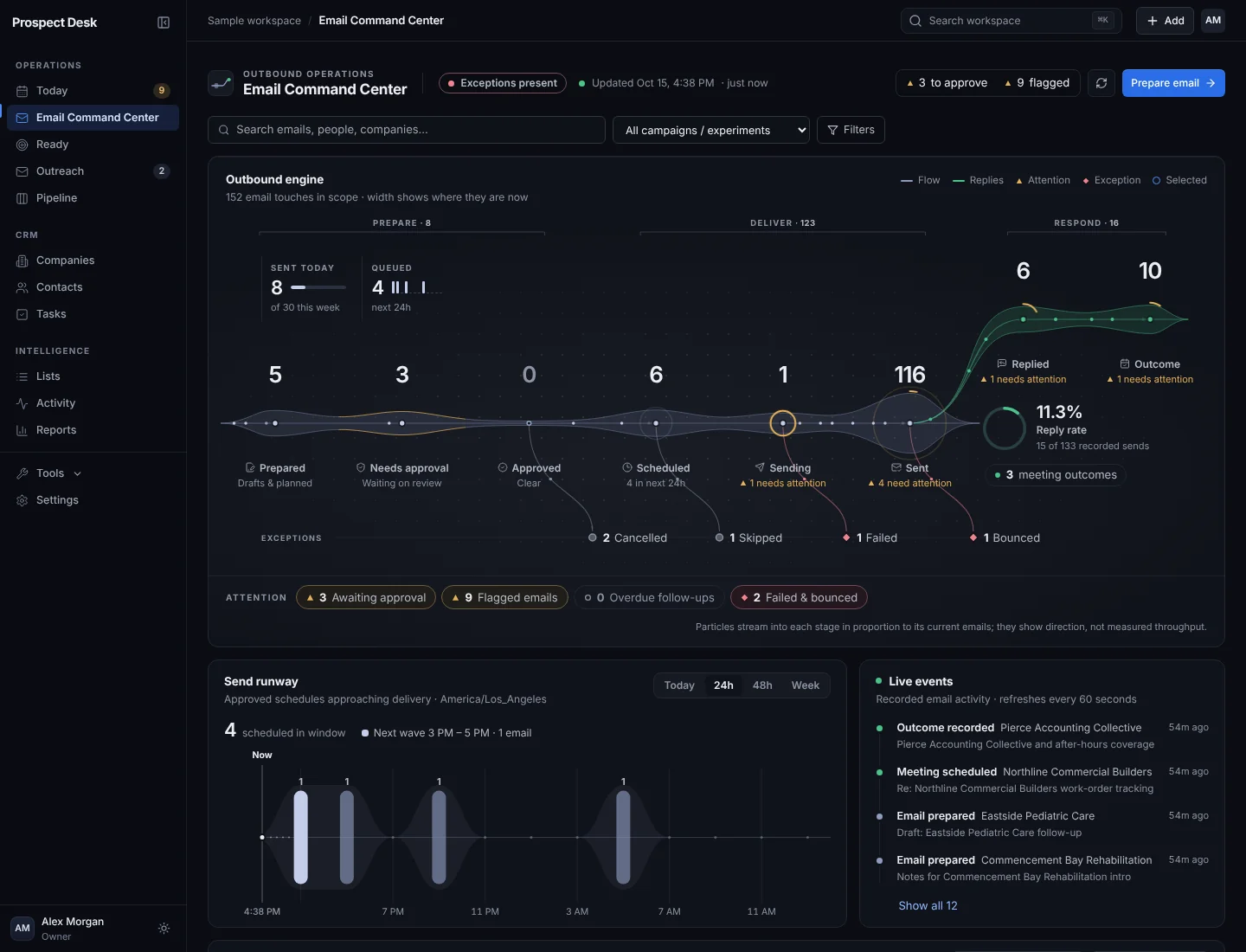
We run this pattern in our own product. Prospect Desk drafts outreach and follow-ups, nothing sends until a person approves it, and sequences stop the moment someone replies.
Tell us what’s slowing you down.
It might be software, a website, an automation, or all three. You don’t need to know which yet.
or email projects@vlyntro.com
The brief asks three things
- What should exist?
- Who will use it?
- What’s painful about how it works today?