
ArcCard
A digital business card that remembers who you met, where, and why.
Web app you can install on a phone. Public product.
- Your card
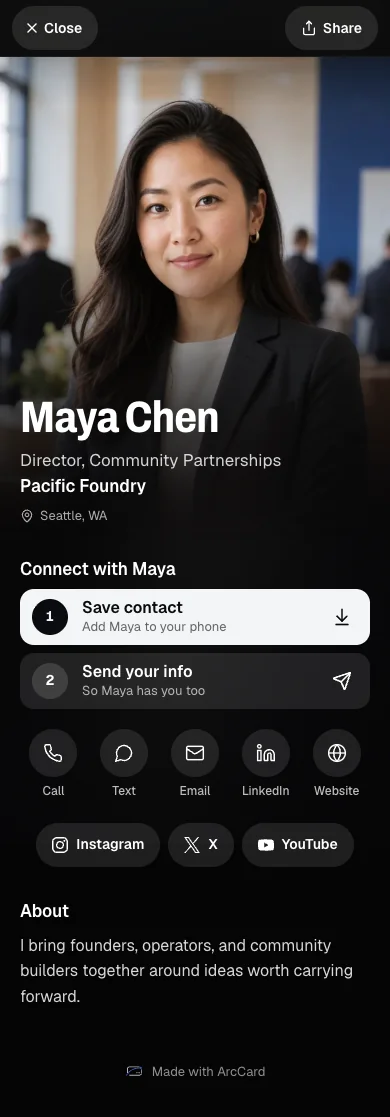
- Share by QR
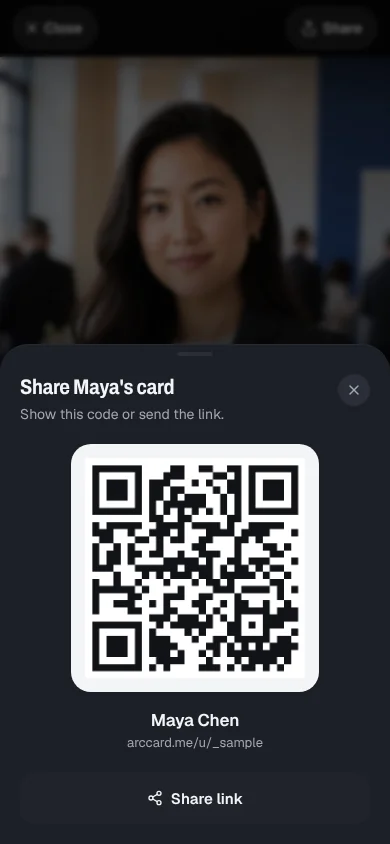
- They send theirs
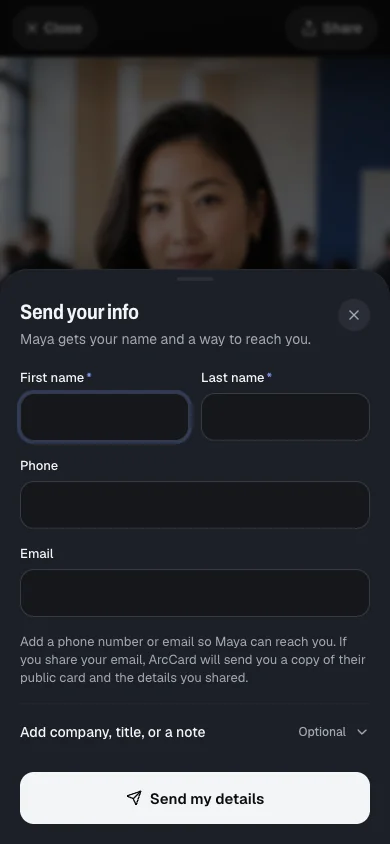
What was missing
A business card forgets the meeting. A CRM turns every person into a lead. The useful middle is a personal network that can exchange contact details instantly while keeping private memory, event context, research, and follow-up cues separate from the public card.
What we built
A mobile-first personal business network that combines a public digital card with private relationship memory: who you met, where you met, what mattered, and how to reconnect later.
- Public cards, QR and vCard exchange, native sharing, PWA install, and quick-sharing workflows
- Event-aware connection context so a new contact remembers where the introduction happened
- Business-card capture, duplicate matching, notes, search, and relationship timeline
- Optional person research and enrichment with source evidence, review, and undo
How it works
Publish the contact details you want to share on your digital card.
Live product capture. The card someone opens from your link or QR code · live sample profile Let someone open the card by link or QR code and save a vCard on their phone.
Live product capture. A QR code to show across the table · live sample profile Use contact exchange to capture the introduction and event context.
Live product capture. The other person sends their details back, no app needed · live sample profile Keep notes, relationship history, and reviewed enrichment in the private workspace.
Decisions that make it work
The engineering choices behind ArcCard, in plain words.
Public and private are separate
What is on your public card and what is in your private notes live behind different permission boundaries.
Sharing without opening the doors
Anyone can send you their details, but an anonymous contact exchange cannot write anything else into your account.
Research shows its sources
Optional AI research about a new contact shows where each fact came from, and you can review or undo it.
Built for the middle of an event
It has to work quickly, on one phone, while you are actually meeting people.
- Where AI fits
- Structured AI handles card extraction, note analysis, search parsing, transcription, and optional sourced person research without being allowed to query private data directly.
- What a person decides
- The person decides what is public, what remains private, what research is accepted, and what a new connection is allowed to save or receive.
What it makes possible
Sharing contact details takes a link or a QR code, and every new connection keeps its context: where you met, what you talked about, and when to follow up. The public card and the private notes never mix.
Want something like this built for your business?